Hotline Order:

Email ID:
sales@scartek.co.ke
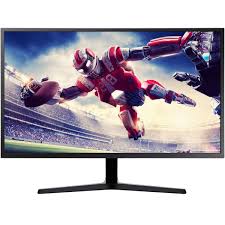
Lenovo ThinkVision P24h-30 23.8″ QHD Monitor
Original price was: KSh43,999.KSh41,999Current price is: KSh41,999.
- Lenovo ThinkVision P24h-30 23.8″ QHD Monitor, Tilt/Swivel/Pivot/Height Adjustable Stand, Raven Black Color,
Connectivity: 1 USB-C 3.2 Gen 1 (DP 1.4 Alt Mode), 1 HDMI 2.1 TMDS, 1 DisplayPort 1.4, 1 DisplayPort Out, 1 RJ45 Ethernet (10M/100M/1000M), 4 USB 3.2 Gen 1 (1x BC 1.2) -
Features
- Productivity Enhancements: Built-in USB-C docking station simplifies setups by charging laptops (up to 65W), transferring data, and connecting peripherals via the integrated hub and Ethernet port. Daisy chaining via DisplayPort out allows easy extension to a second monitor.
- Visual Quality: QHD resolution delivers sharper details than FHD, with factory-calibrated color accuracy for tasks like graphic design or data analysis. HDR10 support enhances contrast for more dynamic visuals, and anti-glare coating reduces reflections.
- Eye Comfort & Sustainability: TÜV Rheinland certified for low blue light and flicker-free viewing. It meets TCO 9.0, Energy Star, and EPEAT Gold standards, with eco-friendly packaging and SmartPower for efficient energy use.
- Build & Design: Slim raven black chassis with cable management for a clean desk. Includes software like ThinkColor for calibration and Lenovo Display Control Center for quick adjustments.
-
Overview
The Lenovo ThinkVision P24h-30 is a 23.8-inch Quad HD (QHD) monitor optimized for professional productivity and multitasking. It features an In-Plane Switching (IPS) panel for excellent color accuracy and wide viewing angles, paired with robust USB-C docking capabilities for seamless connectivity. Ideal for office environments, it supports daisy chaining multiple displays and includes ergonomic adjustments for all-day comfort, making it a versatile upgrade from standard FHD monitors.
Key Specifications
Category Details Display 23.8-inch IPS panel, Near-edgeless 3-side design, W-LED backlight, 16:9 aspect ratio Resolution 2560 x 1440 (QHD), ~123 ppi pixel density Refresh Rate 60 Hz Response Time 4 ms (Extreme mode) / 6 ms (Typical mode) Brightness 300 cd/m² Contrast Ratio 1000:1 (static) / 3,000,000:1 (dynamic) Viewing Angles 178° horizontal / 178° vertical Color Support 16.7 million colors, 99% sRGB, 99% BT.709, 111% sRGB coverage Connectivity HDMI 1.4, 2x DisplayPort 1.2 (in/out for daisy chaining), USB-C 3.2 Gen 1 (65W power delivery), USB 3.2 Gen 1 hub (1x upstream, 4x downstream USB-A), RJ-45 Ethernet Ergonomics Height adjustable (150 mm), tilt (-5° to 30°), swivel (±45°), pivot (portrait/landscape), VESA 100×100 mm mount Dimensions & Weight 539.5 x 323.7 x 46.5 mm (without stand), 3.8 kg Power Internal power supply, ~27W typical consumption, low blue light and flicker-free Warranty 3 years Reviews and User Feedback
Launched in 2023, the P24h-30 receives strong praise for its docking features and value in hybrid work setups, averaging ~4.3/5 across retailers. Staples users call it a “big upgrade for remote workers” with “high-quality visuals” and seamless integration with Lenovo laptops, though one noted a loose power connection (resolved via warranty). On Reddit (r/Monitors), it’s lauded as “top-notch value for USB-C docking,” but older models had occasional backlight bleed complaints—minimal reports for the -30 variant. Amazon reviews highlight the “crisp QHD image and easy setup,” with no major connectivity issues. Recent X posts promote it as a “sleek & sharp” option for work/play at budget prices, with users appreciating the ergonomic stand. Professional sites like Versus.com rank it highly for color gamut and multitasking, though it’s not ideal for high-refresh gaming.