
-
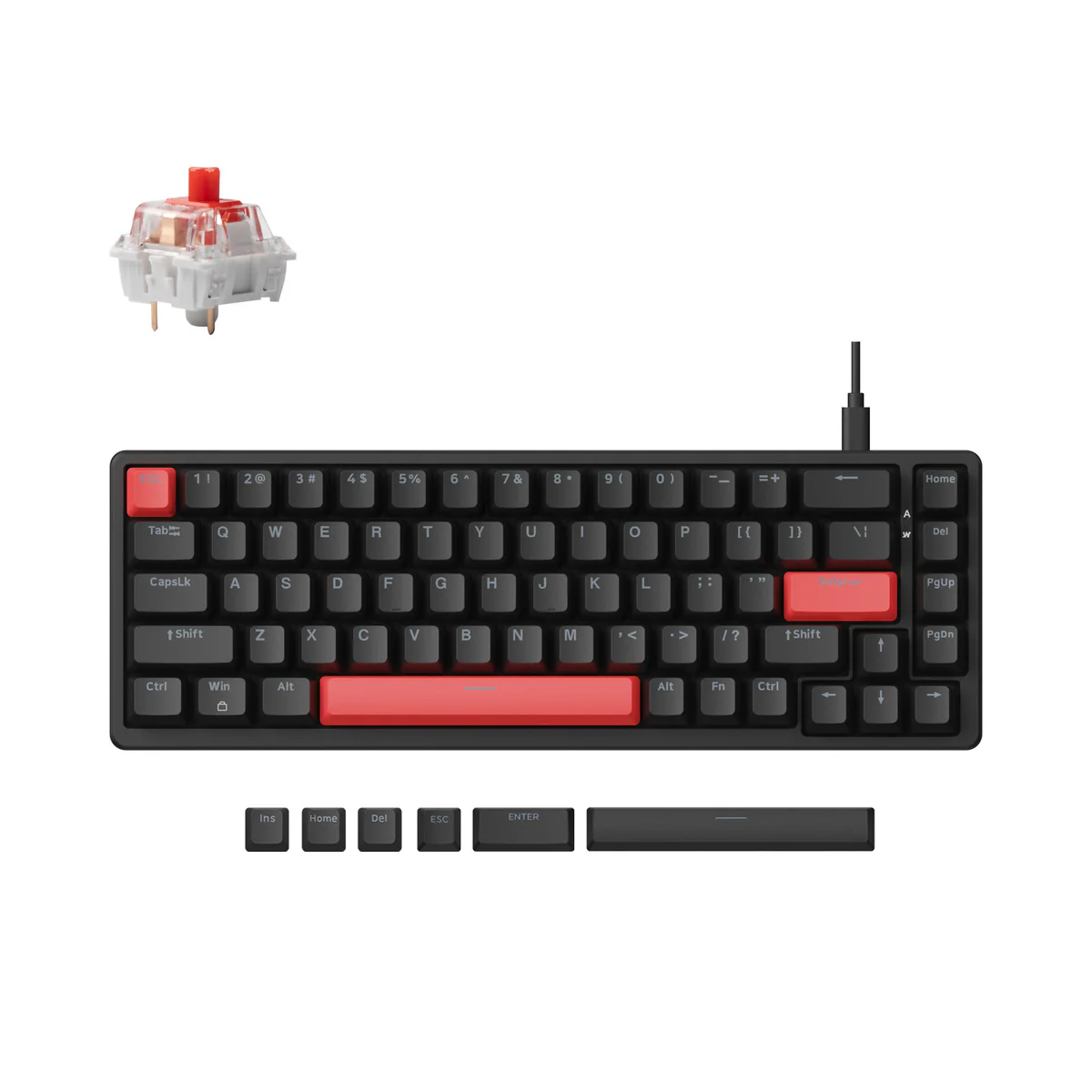
Lemokey X6 QMK Wired Mechanical Keyboard
65% Arrow-Key Layout 68 keys: full arrow cluster + function row in a tight footprint. Keeps your mouse hand free while retaining navigation essentials.
Hot-Swappable Switches
- K Pro Red – Linear, pre-lubed, whisper-smooth
- K Pro Brown – Tactile, light bump, zero scratch Swap any 3/5-pin MX switch — no soldering, no tools beyond a puller.
Gasket Mount + Foam Stack Poron sandwich (top/bottom) + case foam = deep, cushioned “thock” with minimal ping. Flexy yet controlled.
Wired USB-C 1000 Hz polling — instant response for typing or gaming. Zero battery anxiety.
Red LED Backlight 14+ effects (static, wave, rain, breathing). Shine-through ABS keycaps. Brightness via Fn + ↑/↓.
QMK/VIA + Lemokey Launcher
- Browser-based: launcher.lemokey.com — remap, macros, layers
- Full QMK support (VIA needs manual JSON)
- Works on Windows / macOS / Linux
Build
- ABS case, polycarbonate plate
- Screw-in stabilizers (spacebar, enter, shift)
- Double-shot OSA keycaps
- ~12.6 × 4.7 × 1.4 in | ~1.3 lbs
- 5° fixed tilt
Setup (2 Minutes)
- Plug USB-C → ready
- Visit launcher → drag & drop keymaps
- Reset: Fn + J + Z (hold 4 sec)
- Test keys in Launcher’s tester tab
Best For
- Gamers who want arrow keys + compact size
- Coders needing F-row + nav without stretching
- Daily drivers craving thock on a budget
- First-time QMK users (web UI = no compile hassle)
KE Pro Tips
- Backlight too bright?Fn + Light key → cycle modes
- Sticky key? Use Launcher tester → isolate & swap
- Join Kenya Mechanical Keyboards (FB) for local switch trades
- Pair with Gateron Oil Kings or Akko CS Jelly Blacks for next-level smoothness
Call us on +254724495659 or +254708744335 to place your order.
Call us on +254724495659 or +254708744335 to place your order.

Hotline Order:

Email ID:
sales@scartek.co.ke
Lemokey X6 QMK Wired Mechanical Keyboard
Original price was: KSh6,499.KSh5,999Current price is: KSh5,999.


