-
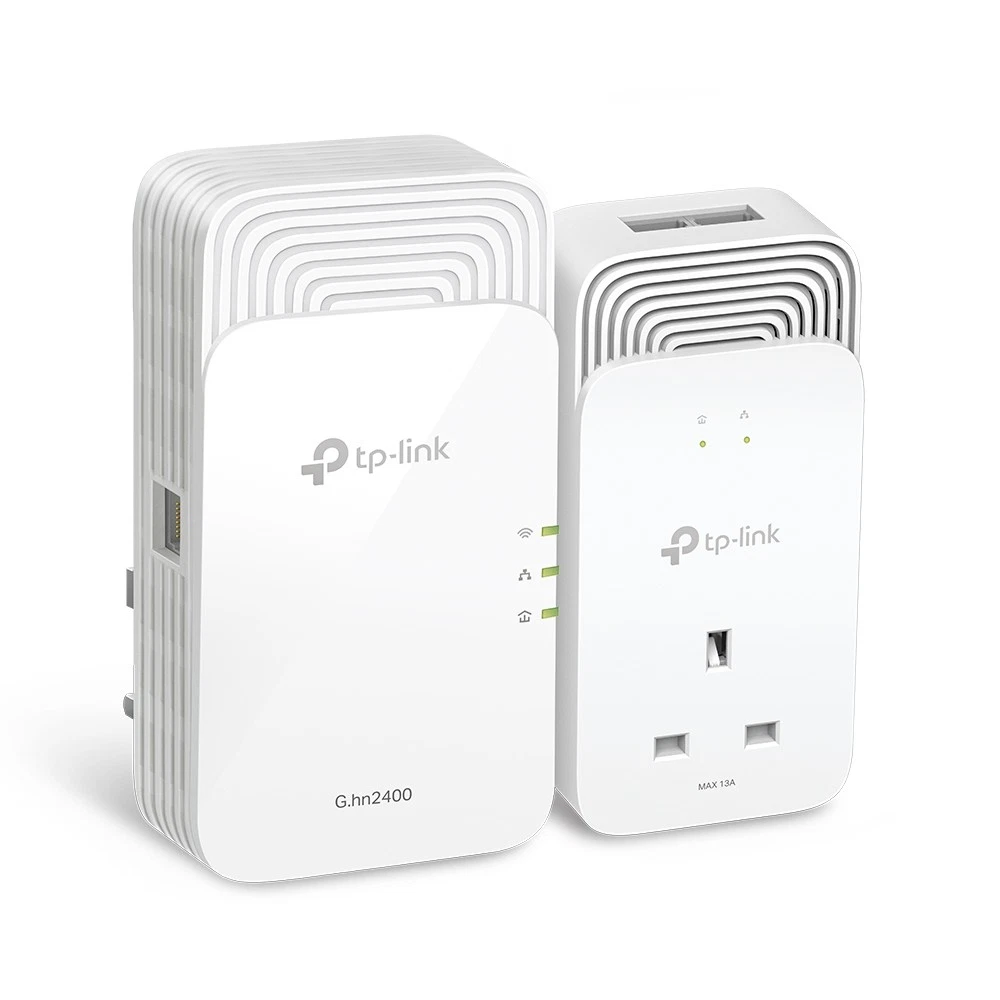
TP-Link G.hn2400 Powerline AX1800 Wi-Fi 6 Kit
- TP-Link G.hn2400 Powerline AX1800 Wi-Fi 6 Kit (model PGW2440 KIT) designed for high-speed network expansion.
- It uses the existing electrical wiring in a home to transmit data, eliminating the need for new cables.
- The kit supports EasyMesh technology, allowing it to create a seamless whole-home Wi-Fi network.
- It includes an extra power socket on the adapters, ensuring users do not lose a wall outlet when plugging in the device.
-
This kit is a powerful powerline networking solution that uses your home’s existing electrical wiring to extend high-speed internet without running new cables. It combines G.hn2400 powerline technology with AX1800 Wi-Fi 6, delivering fast, reliable wired and wireless connectivity for the whole home. The kit includes a passthrough adapter (PG2400P) that connects to your router and a Wi-Fi extender unit (PGW2440).
Key Features & Specifications
- Powerline Technology: Advanced G.hn MIMO protocol — up to 1428 Mbps over electrical wiring (faster and more stable than many older standards).
- Wi-Fi 6 Performance: AX1800 dual-band — 1201 Mbps (5 GHz) + 574 Mbps (2.4 GHz).
- EasyMesh Compatible: Seamlessly integrates with EasyMesh routers to create a unified whole-home mesh Wi-Fi network with seamless roaming.
- Pass-Through Power Socket: Built-in extra outlet on the adapters so you don’t lose a wall socket.
- Gigabit Ethernet: 2+1 Gigabit ports (10/100/1000 Mbps) for wired devices.
- Easy Setup: Plug-and-play with one-touch pairing and Wi-Fi cloning.
- Range: Up to 300 meters (on the same electrical circuit; actual performance depends on wiring).
- Security: 128-bit AES encryption; supports WPA3.
- Other: Supports 8K streaming, gaming, and multiple devices; works with most routers.
Basic Instructions for Use
- Initial Setup (Same Room Recommended):
- Plug the PG2400P (passthrough adapter) into a wall outlet near your router.
- Connect it to your router’s LAN port using the included Ethernet cable.
- Plug the PGW2440 (Wi-Fi extender) into another wall outlet in the same room/circuit.
- Wait until the Powerline LEDs on both units turn solid (pairing usually happens automatically).
- Secure the Connection (Optional but Recommended):
- Press the Pair button on the PG2400P for 1 second.
- Within 2 minutes, press the Pair button on the PGW2440.
- The Powerline connection will be encrypted.
- Relocate the Extender:
- Move the PGW2440 to the desired location in your home (on the same electrical circuit).
- Wait for the Powerline LED to turn solid green — you now have extended Wi-Fi and Ethernet.
- Wi-Fi Configuration:
- The extender will automatically clone your router’s Wi-Fi name and password (one-tap sync).
- For EasyMesh: Connect via your router’s web interface or TP-Link app for a unified mesh network.
- Connect Devices:
- Connect wirelessly to the new Wi-Fi network or use the Gigabit Ethernet ports on either unit for wired devices.
Call us on +254724495659 or +254708744335 to place your order.
Call us on +254724495659 or +254708744335 to place your order.

Hotline Order:

Email ID:
sales@scartek.co.ke