-
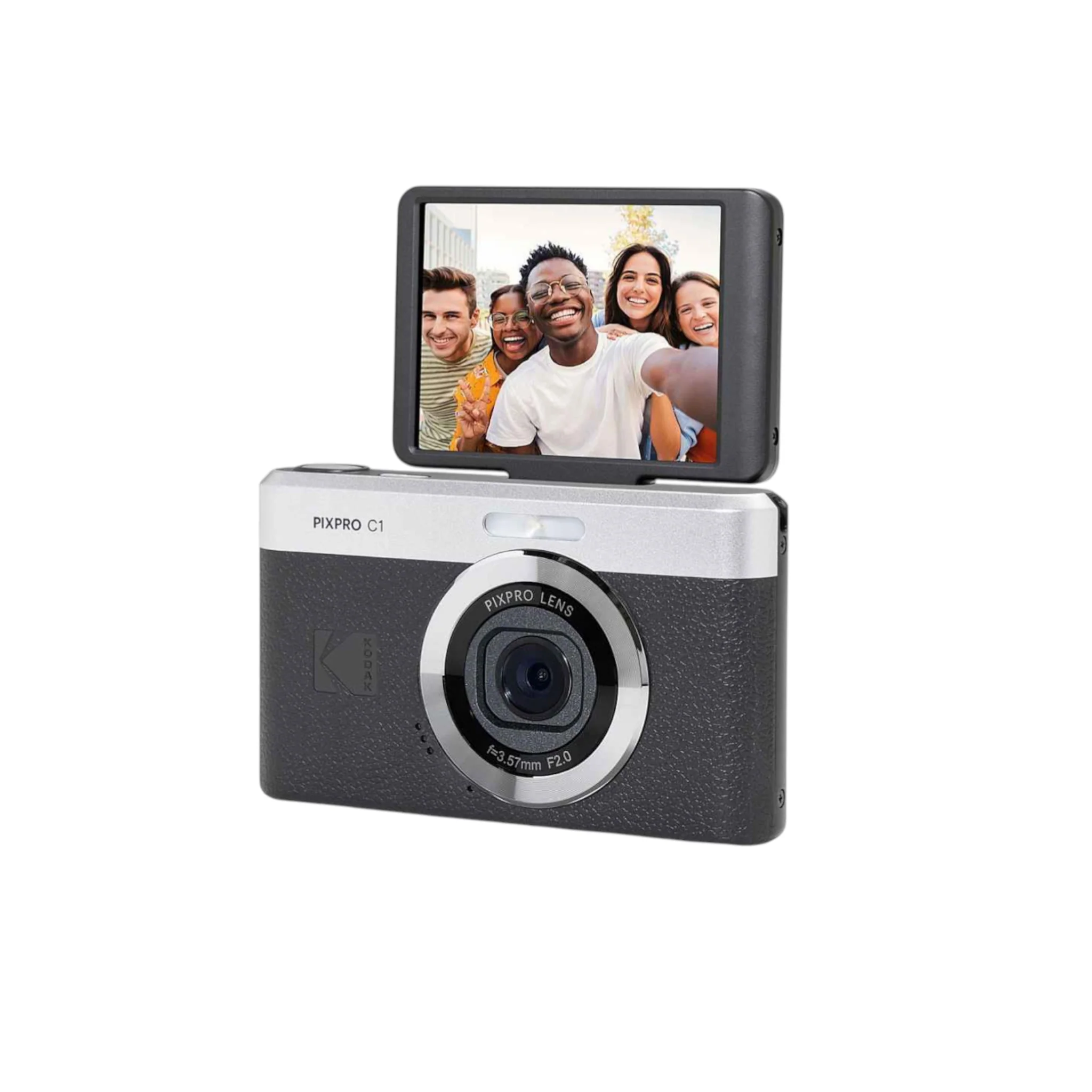
The KODAK PIXPRO C1 (also called Kodak PIXPRO C1 Friendly Zoom Digital Camera) is a compact, retro-inspired point-and-shoot digital camera released in 2025, blending vintage aesthetics (textured faux-leather finish in colors like black, brown/tan, or silver/gold) with modern conveniences like a flip-up selfie screen and USB-C charging. It’s marketed as a fun, lightweight “digicam” for casual snapshots, travel, vlogging, selfies, or social media—perfect for beginners or anyone chasing that nostalgic smartphone-era vibe without using your phone.
Key Features and Specifications
- Sensor: 13MP backside-illuminated (BSI) CMOS (1/3-inch or 1/3.2-inch size) for crisp, vibrant shots in good light.
- Lens: Fixed wide-angle 26mm equivalent (f/2.0 aperture, 3.57mm actual) — bright for indoors/low light, great for group shots or landscapes; no optical zoom, only 4x digital zoom (which reduces quality noticeably).
- Display: 2.8-inch LCD screen that flips 180° upward for easy selfies, vlogs, or creative angles.
- Video: Full HD 1080p at up to 60fps for smooth clips.
- Focus & Shooting: TTL autofocus; macro mode from ~8cm; scene modes (auto, portrait, landscape, night, beach, etc.); fun filters/effects (retro, vivid, black & white, spot color); LED flash (strong for low light but basic).
- Battery: Built-in rechargeable lithium-ion (via USB-C port on the side — convenient and modern).
- Storage: microSD/microSDHC card slot (up to 32GB recommended; card not included).
- Other Details: Lightweight (~115g), pocketable; includes self-timer (3/5/10s, continuous); no Wi-Fi/app connectivity in base model (some older PIXPROs have it, but not this one); simple point-and-shoot interface with minimal controls.
Compatibility and Use Notes
Super easy for anyone—no complex menus. Great for everyday fun (holidays, parties, quick snaps) or as a secondary camera to offload phone storage. Performs best in daylight with flash for sharper results; low-light shots can be grainy/noisy. Shutter lag is noticeable, and digital zoom is limited (stick to wide-angle for best quality). Insert a microSD card, charge via USB-C, and you’re set—no apps or drivers needed.
Call us on +254724495659 or +254708744335 to place your order.
Call us on +254724495659 or +254708744335 to place your order.

Hotline Order:

Email ID:
sales@scartek.co.ke